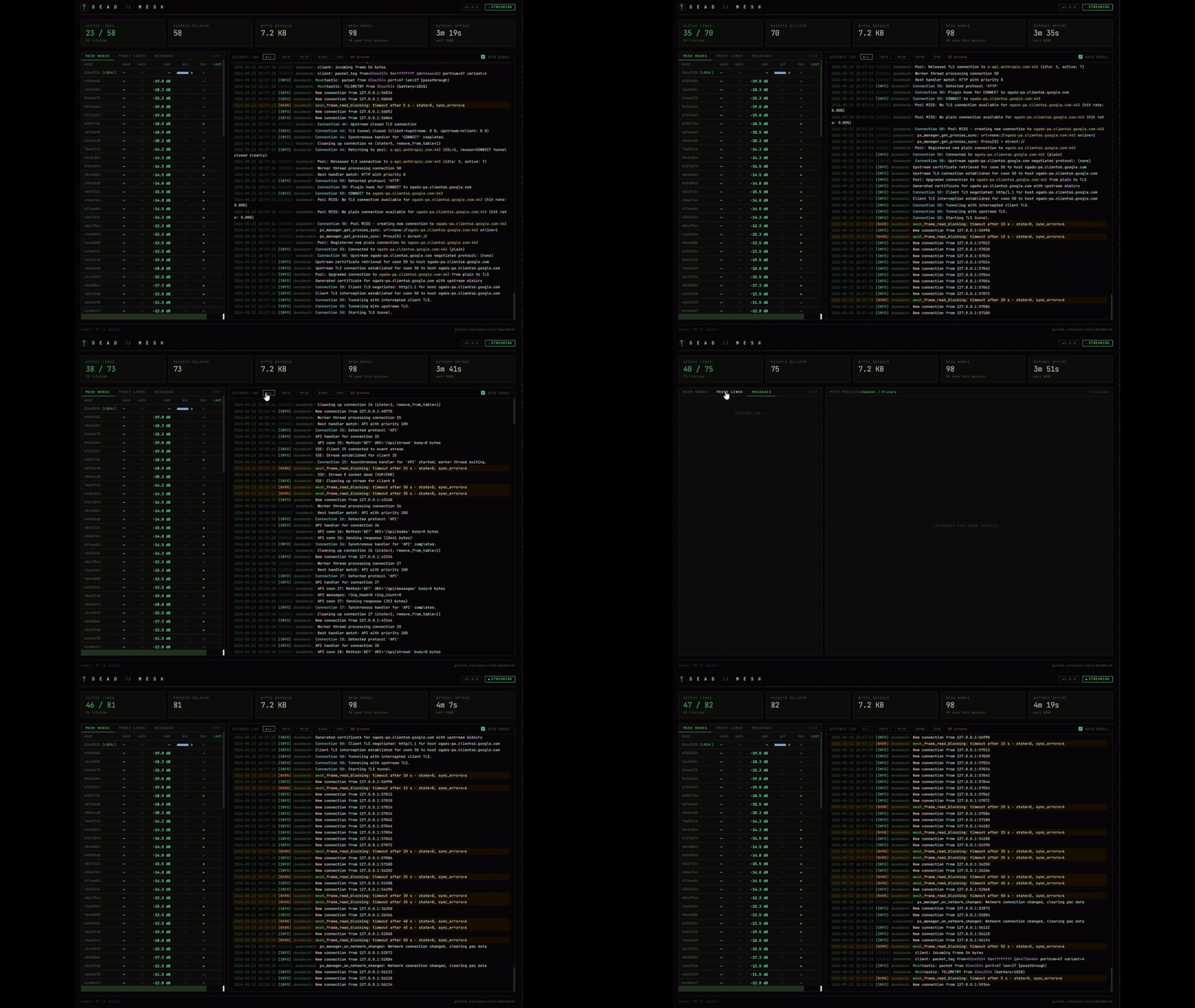
 deadmesh
Meshtastic networks are incredible for messaging and telemetry, but they weren't designed for general Internet access. Each protocol would need custom mesh-aware implementations: a chicken-and-egg problem where applications won't add mesh support without users, and users won't adopt mesh without applications.
deadmesh sits in the middle:
Mesh side: Speaks fluent Meshtastic (protobuf over LoRa serial with proper API handshake)
Internet side: Speaks every protocol your applications already use
Bridges transparently: Fragments outgoing requests, reassembles incoming responses
Target result: Your mesh network works with everything: email clients, web browsers, update tools, API services; without modifying a single line of application code. The gateway proxy pipeline achieves this today; the remaining work is client-side packet delivery over LoRa.

deadmesh does one thing: it makes a Meshtastic LoRa mesh look like a normal internet connection to any application that uses it. No special clients, no modified apps, no mesh-aware software required.
Here's how that actually works.
┌─────────────┐                  ┌──────────────┐                ┌──────────┐
│ Mesh Client │  LoRa Packets    │   deadmesh   │  TCP/IP        │ Internet │
│  (Phone /   ├─────────────────>│   Gateway    ├───────────────>│ Services │
│  Handheld)  │  (868/915 MHz)   │              │                │          │
│             │                  │ - Fragment   │                │  HTTP    │
│ Meshtastic  │                  │ - Reassemble │                │  SMTP    │
│    App      │<─────────────────┤ - TLS Proxy  │<───────────────┤  IMAP    │
└─────────────┘                  │ - Cache      │                └──────────┘
                                 │ - Compress   │
                                 └──────┬───────┘
                                        │
                                 ┌──────┴───────┐
                                 │  Serial API   │
                                 │  0x94 0xC3    │
                                 │  protobuf     │
                                 │  want_config  │
                                 └──────┬───────┘
                                        │ USB
                                 ┌──────┴───────┐
                                 │  Meshtastic   │
                                 │  Radio        │
                                 └──────────────┘
The gateway node sits at the boundary between two worlds. On the mesh side it speaks Meshtastic natively. On the internet side it speaks whatever protocol the client application is already using. Neither side needs to know anything
about the other.
want_config initialization, auto-discovers node ID, receives full mesh state on startupSoftware:
Optional (for Meshtastic CLI testing):
pip install meshtastic)Hardware (see Hardware for details):

deadmesh works under WSL2 with USB/IP passthrough for the Meshtastic radio. This is a fully supported configuration — the reference gateway setup during development runs this way.
winget install usbipd
usbipd list ...
| Device | Chip | Connection | Notes |
|---|---|---|---|
| Seeed Wio Tracker L1 | nRF52840 + SX1262 | USB CDC (/dev/ttyACM0) |
✓ Verified — reference gateway radio |
| Heltec LoRa 32 V3 | ESP32-S3 + SX1262 | USB CDC (CH9102) | ✓ Verified — reference client radio |
| RAK WisBlock (RAK4631) | nRF52840 + SX1262 | USB CDC | Expected to work |
| Heltec V4 | ESP32-S3 | USB CDC | Expected to work |
| Lilygo T-Beam | ESP32 + SX1276/8 | USB UART (CP2104) | Expected to work |
| Lilygo T-Echo | nRF52840 + SX1262 | USB CDC | Expected to work |
| Station G2 | ESP32-S3 | USB CDC | Expected to work |
RF Survey
Location:
Antenna:
Date:
Weather:
88.500 | WFM | Strong | FM Radio | Yes
120.700 | AM | Medium | Aircraft | No
162.550 | NFM | Strong ...